UV Best Practice for Devserver-NAS-Cluster Python Management
Introduction to UV
UV is a lightweight and fast Python manager. Unlike conda, UV uses caching to avoid re-downloading (and re-building) dependencies, usually by linking dependencies in new environments back to a shared cache.
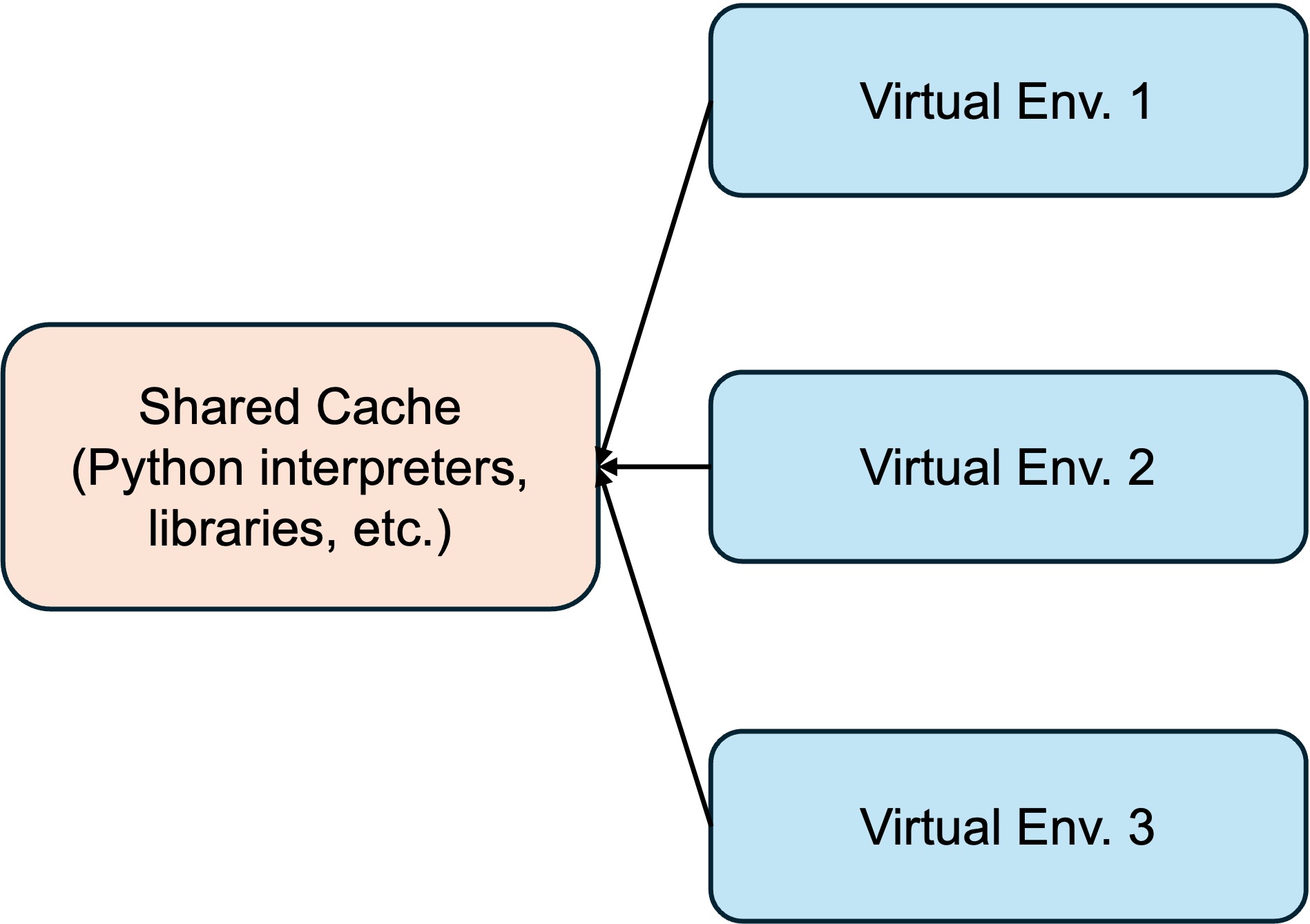
In modern Devserver-NAS-Cluster systems, a common situation is that the user has access to a devserver (jump machine), from which tasks are submitted to cluster nodes for execution via external management tools (e.g., slurm), and the devserver and cluster nodes both have access to shared external NAS. In these systems a common practice is to manage environments on NAS. However, naively using UV would be problemtic in this use.
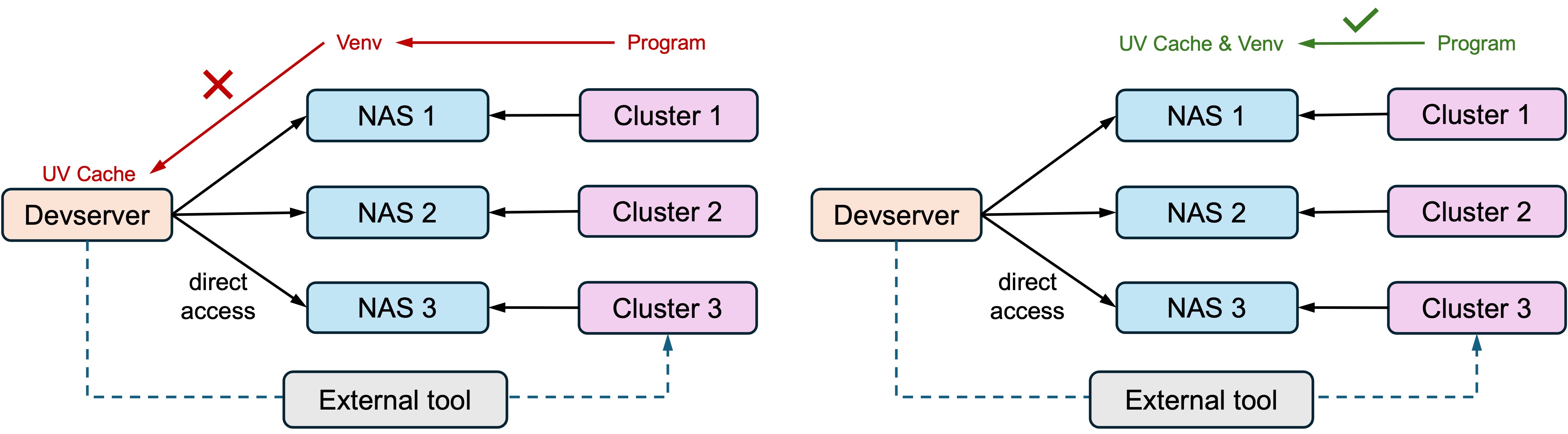
As shown above, a better practice is to install both the UV cache and virtual environments into each shared NAS. This tutorial highlights a few practices to properly use UV on such systems.
Installing UV
On Linux, You can install UV with
wget -qO- https://astral.sh/uv/install.sh | sh
or follow the complete guide here: https://docs.astral.sh/uv/getting-started/installation/. The install path of UV itself can be set by UV_INSTALL_DIR. This can be on you devserver.
Installing Python
You can install a specific Python version using UV with (but don’t do that just yet):
uv python install python3.11
This will install a UV-managed python into a default path (for me it’s /root/.local/share/uv/python). But remember when we said we need to install Python interpreters on our NAS? Use -i in this case.
uv python install -i /path/to/your_nas/and_then/uv_interpreters python3.11
After that you also need to set UV_PYTHON_INSTALL_DIR to let UV know you will use Python interpreters installed there.
export UV_PYTHON_INSTALL_DIR=/path/to/your_nas/and_then/uv_interpreters
uv python dir   # just a check, should output /path/to/your_nas/and_then/uv_interpreters
Virtual Environments
This is simple. Just do
uv venv /path/to/your_nas/and_then/your_env

source /path/to/your_nas/and_then/your_env/bin/activate # activate
... # do stuff with your new venv
deactivate  # deactivate
Also remember to install pip for this environment
uv pip install pip
Todo
It appears we still have to install Python interpreters, environments and packages on each cluster individually. Check if there is an easier way to clone environments across NAS (UV not using standalone environments is the main problem here). Maybe uv sync will help?